

9 steps from photo to printed book
How it works
From uploading a photo to holding a printed book — here's exactly what happens at every step.
Before Purchase
01
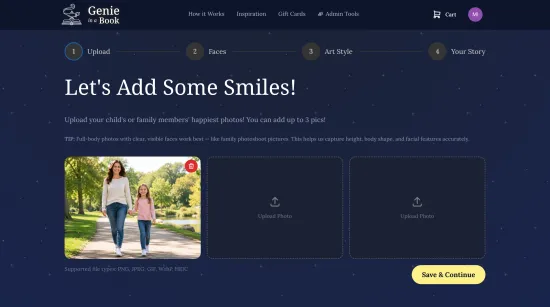
Upload Your Photos
Add up to four photos of the people you want in the story — kids, parents, grandparents, anyone. Our AI detects every face and builds a unique character from each one.
Up to 4 photos
AI face detection
Works with everyday phone photos
02
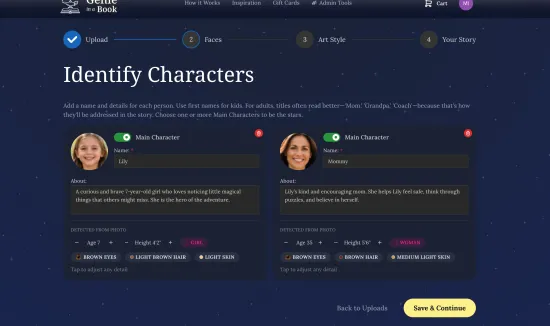
Name and Describe Each Character
For every face detected, give them a name, age, and role. Choose who the main characters are — the story will revolve around them. You can add up to four characters in total.
Up to 4 characters
Names, ages, roles
Mark main vs. supporting cast
03
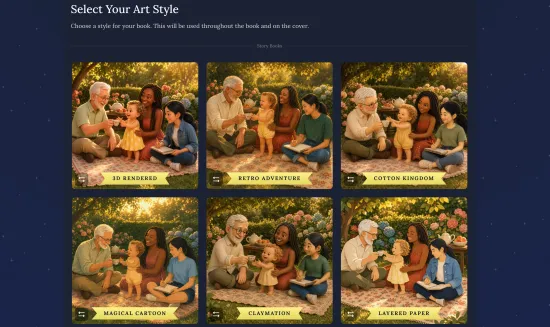
Choose Your Art Style
Pick from seven hand-crafted art styles — 3D Rendered, Retro Adventure, Cotton Kingdom, Magical Cartoon, Claymation, Layered Paper, and Coloring Book. The style you pick sets the visual tone of every page in your book.
7 art styles to choose from
Preview thumbnails for each
Sets the look of every page
04
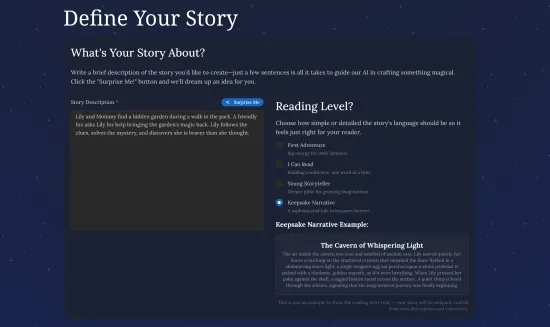
Define Your Story
Describe the adventure you want — a few sentences is all it takes. Set the reading level to match your child's age. Not sure what to write? Hit "Surprise Me" and our AI dreams up an idea for you.
Write a few sentences or let AI dream one up
4 reading levels
"Surprise Me" for instant inspiration
05
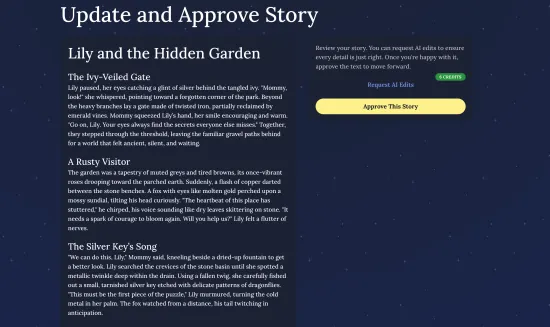
Review and Approve Your Story
Now the AI drafts your full story — page by page — from your prompt and characters. Read it through, and if anything doesn't feel right, request AI edits to refine specific parts. Approve when you're happy — your wording is locked in before any illustrations begin.
Read the AI-generated draft
Request AI edits to refine any part
Approve to lock in your story
06
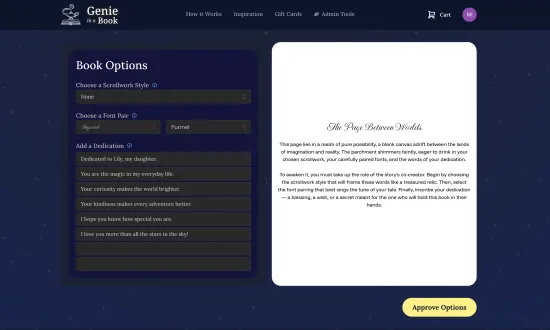
Dedication, Scrollwork & Fonts
Add a personal dedication message to the inside front page. Then pick ornamental scrollwork borders and a font pairing that sets the tone — from whimsical to elegant.
Custom dedication message
Ornamental scrollwork borders
Font pairing selector
07
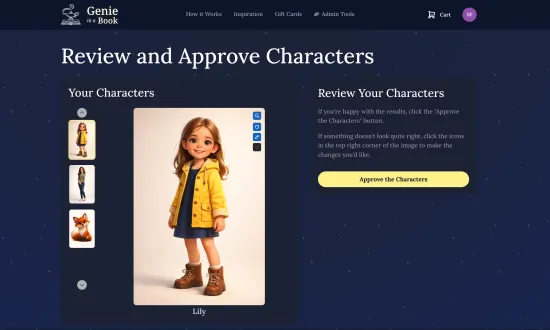
See Your Characters — For Free
Watch the AI illustrate each character from your photos. No payment yet — this is your first look at how everyone will appear in the book. If something is off, you can regenerate them later with the included credits.
Free character illustrations
See likeness before paying anything
Regenerate characters later if needed
08
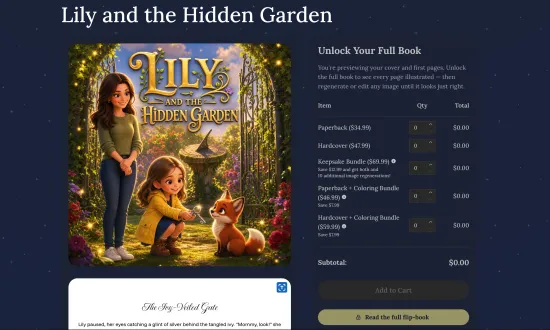
Preview Your Cover & First Pages — Unlock When You're Ready
See your book's cover and first two pages fully illustrated, free of charge. When you love what you see, pick your format — paperback, hardcover, or a bundle (Keepsake or with a coloring book) — and unlock the rest of the book. 20 regenerations are included so you can refine any page or character.
Free preview of cover + first 2 pages
Choose your format & bundle
20 regenerations included
After Purchase
09
Approve Your Book — We Print and Ship
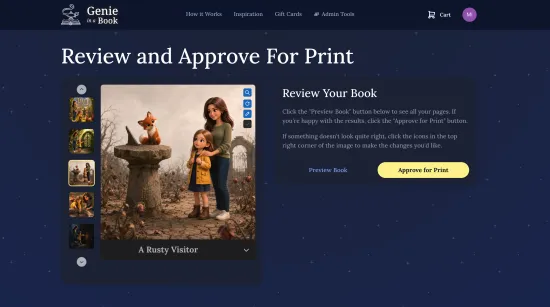
The AI illustrates the remaining pages of your story. Review the cover and all 13 pages in a scrollable gallery, regenerate anything that isn't right, and add custom instructions to guide the next attempt. Once every page is approved, we generate print-ready files, send your book to our print partner, and ship to your door.
Cover + 13 story pages
Regenerate with custom notes
Instant digital flipbook
Delivered in 7–10 business days
At a glance
Upload Your Photos
Photos
Name and Describe Each Character
Characters
Choose Your Art Style
Style
Define Your Story
Story
Review and Approve Your Story
Story Draft
Dedication, Scrollwork & Fonts
Personalise
See Your Characters — For Free
Character Preview
Preview Your Cover & First Pages — Unlock When You're Ready
Preview & Unlock
Approve Your Book — We Print and Ship
Approve & Print· after purchase
Ready to start your story?
Most families finish setup in about 15 minutes. Your book ships in 7–10 days.
No subscription · Ships to your door